
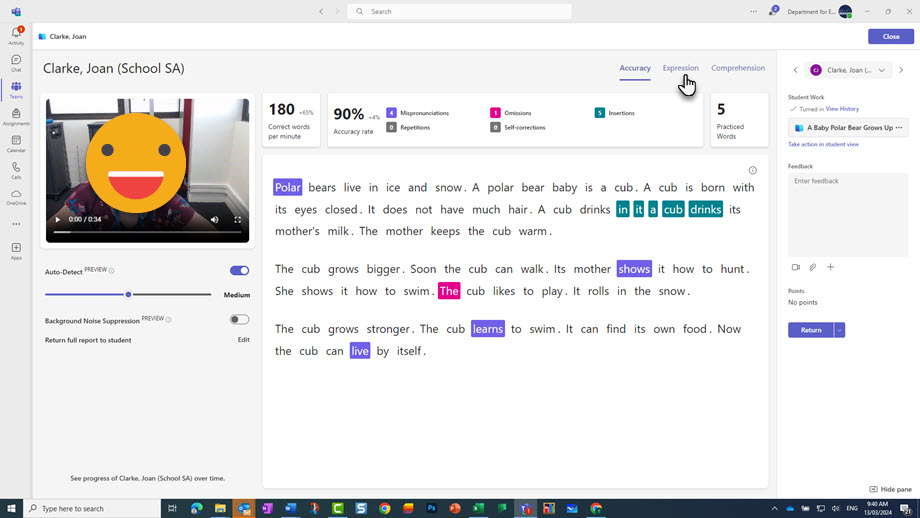
Accuracy report showing student errors.

Reading Progress is an integrated reading fluency and comprehension assessment tool within Microsoft Class Teams. You can set texts for individual students or the whole class and leverage artificial intelligence (AI) for data analysis.
Reading Progress provides comprehensive data on reading speed, accuracy and expression. This allows you to review your students' reading without having to observe it in real time.
Reading Progress is an optional feature you can select when setting up an assignment within Class Teams. You can:
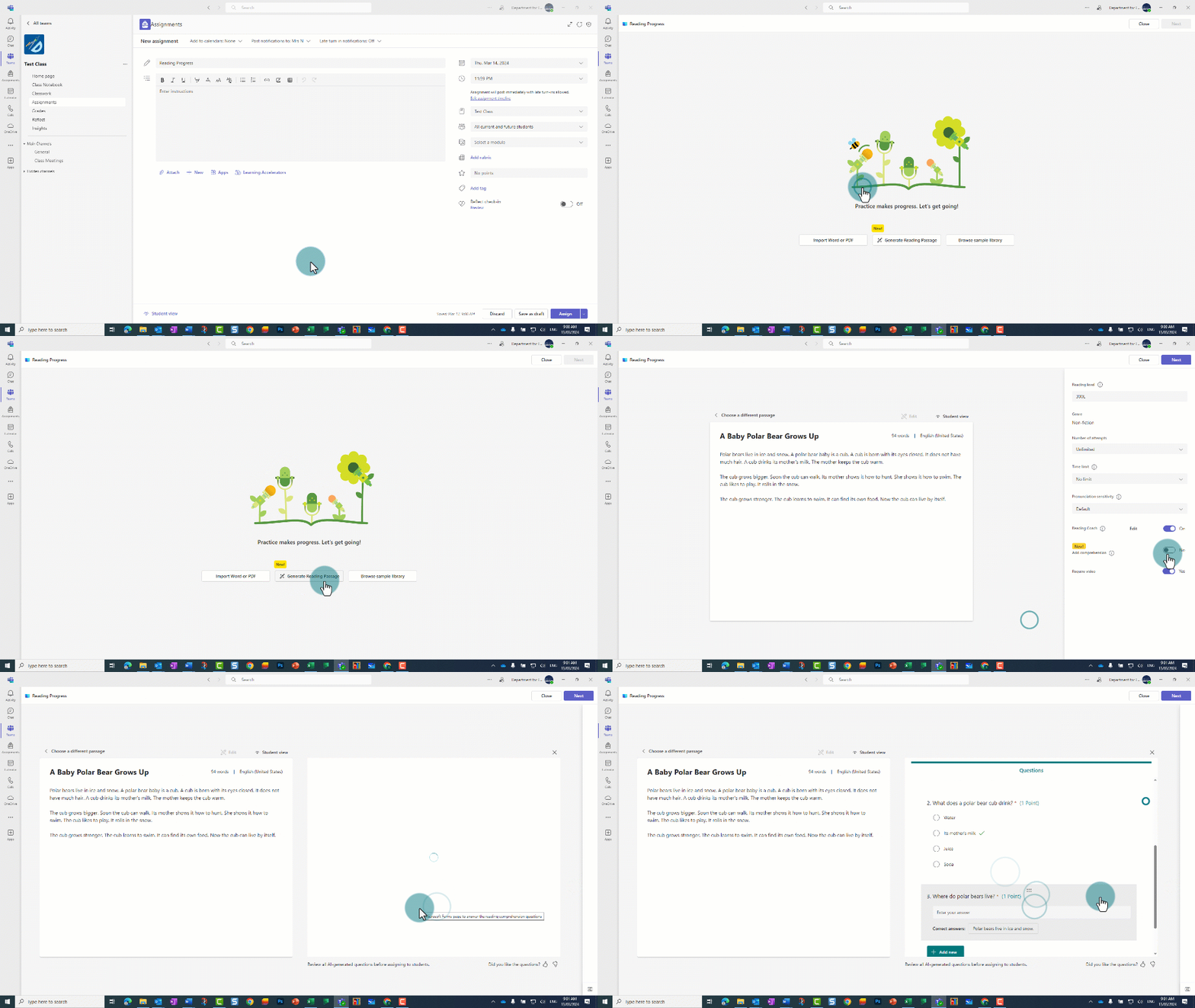
Students can log in to Class Teams and access the Reading Progress assignment in the same way they would normally access assignments. Students then record their reading using their device and answer the comprehension questions.
Once the student has submitted the assignment, you can:
Accuracy report showing student errors.
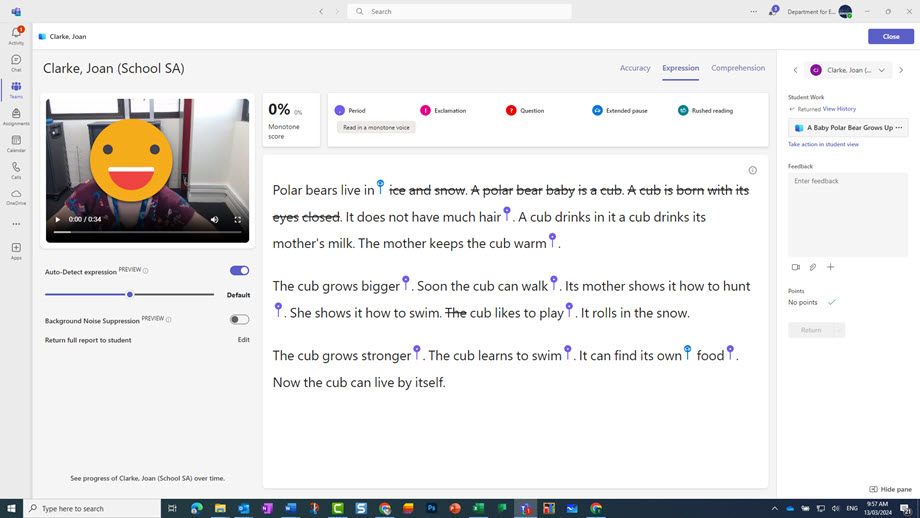
Expression report showing what the student needs to focus on to improve reading expression.
You can also get a comprehensive view of the student's progress through the Reading Progress report, which collates and analyses data over a certain time period.
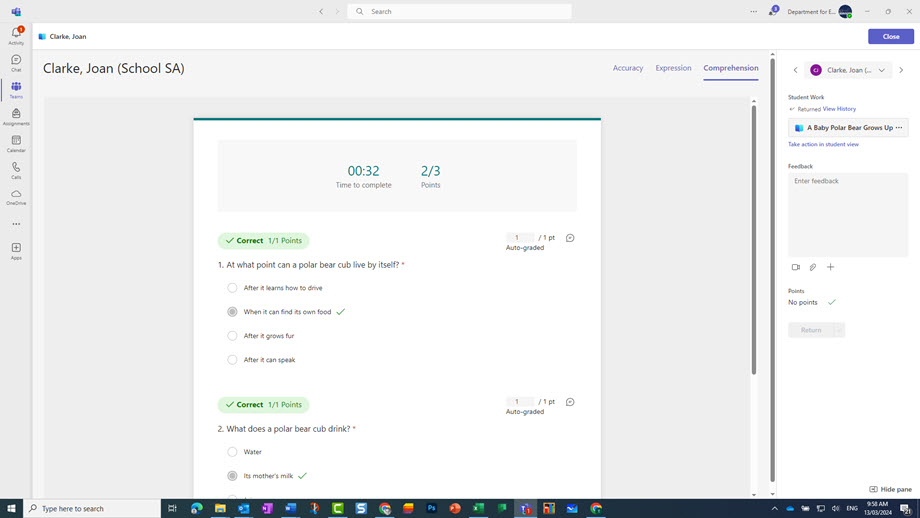
To get an overview of the class' progress, go to the insight section in Class Teams. It shows the class' average words per minute and challenging words.
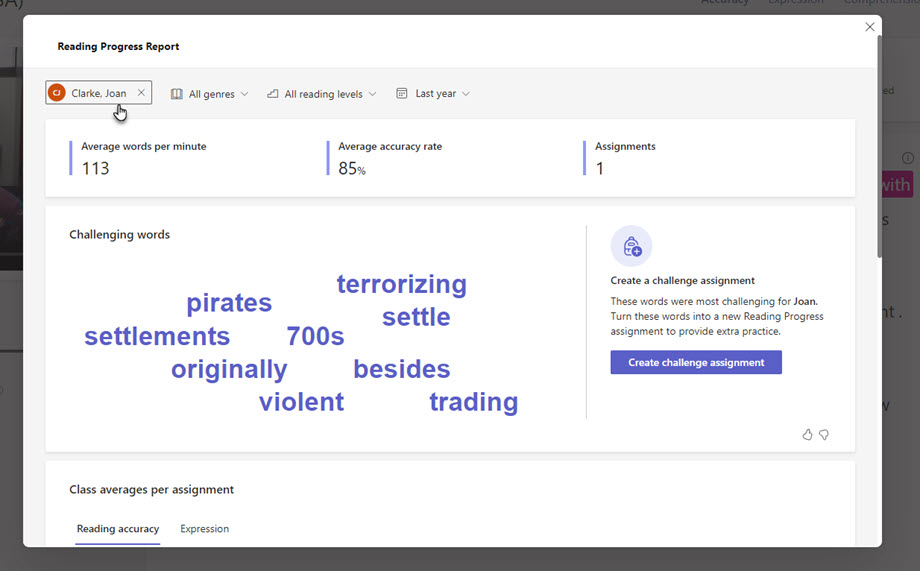
Individual student report showing words per minute, accuracy, the number of assignments completed and challenging words.
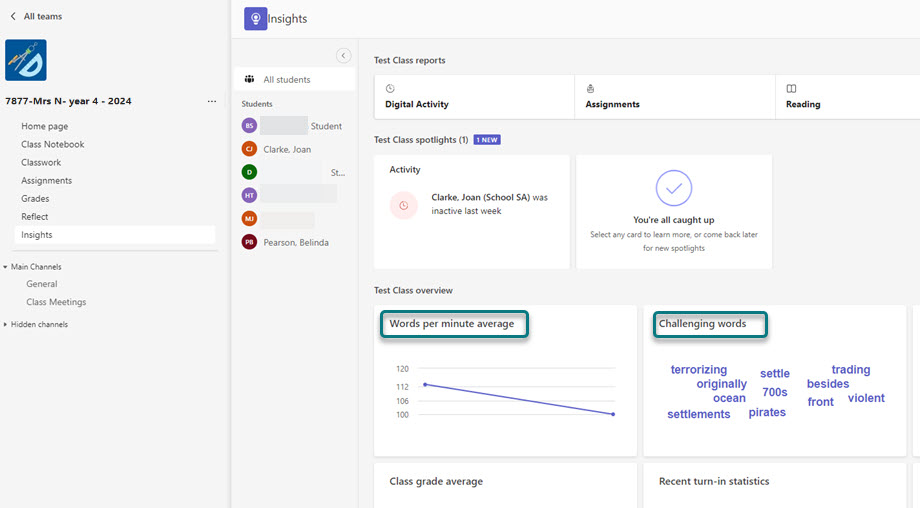
Insight tab in the Class Team showing class report indicating words per minute and challenging words.
Students comfortable with Class Teams can independently use Reading Progress to record their reading fluency.
Ideally, students would record their assignment in a quiet space. But the noise suppression setting can help counter classroom background noise.
You can also adjust the settings for sensitivity to cater to students who have an accent.
Younger students could use Reading Progress with the support of an SSO or a parent volunteer. They could help the student log in and provide a paper copy of the text for students to read while they’re being recorded.
Reading Progress doesn’t support illustrations or pictures, which are particularly important for younger readers.
Teachers of foreign languages can also use Reading Progress to assess their students' comprehension and speaking skills. Reading Progress is available in over 100 languages.
related articles