
Gathering your media
If you have a 360-degree camera, take it on class trips or use it around the local area with permission. Read our tips for taking 360-degree photos.
You can also find other people's 360-degree photos online or use 360-degree photos from the department.
Sharing your media
After gathering the photos you want to share with your class, save them somewhere easy to find. You'll usually need to download the photos from the camera to see them in full 360-degree view.
If your school owns a camera, consider creating a shared space where teachers and classes can save their photos so other classes can use them too. This can be especially helpful for subjects like humanities and social sciences (HASS).
To share your 360-degree photos with colleagues, you could set up a shared Google Photos folder for easy access if you're viewing the photos directly in Google Photos.
Apps for viewing and showing your 360 photos
Regular image viewers will make your 360-degree photos look stretched. Use an app that supports 360-degree photos, like the Ricoh Theta app or Google Photos.
Ricoh Theta app
To view a 360° photo with the Ricoh Theta app:
- Install the app on your laptop.
- To rotate the photo you can then click and drag or use the auto-rotate feature (by pressing the ‘play’ button).
- Download your 360° photo from your camera.
- Open the Theta app.
- Drag and drop the photo from your file explorer into the app.
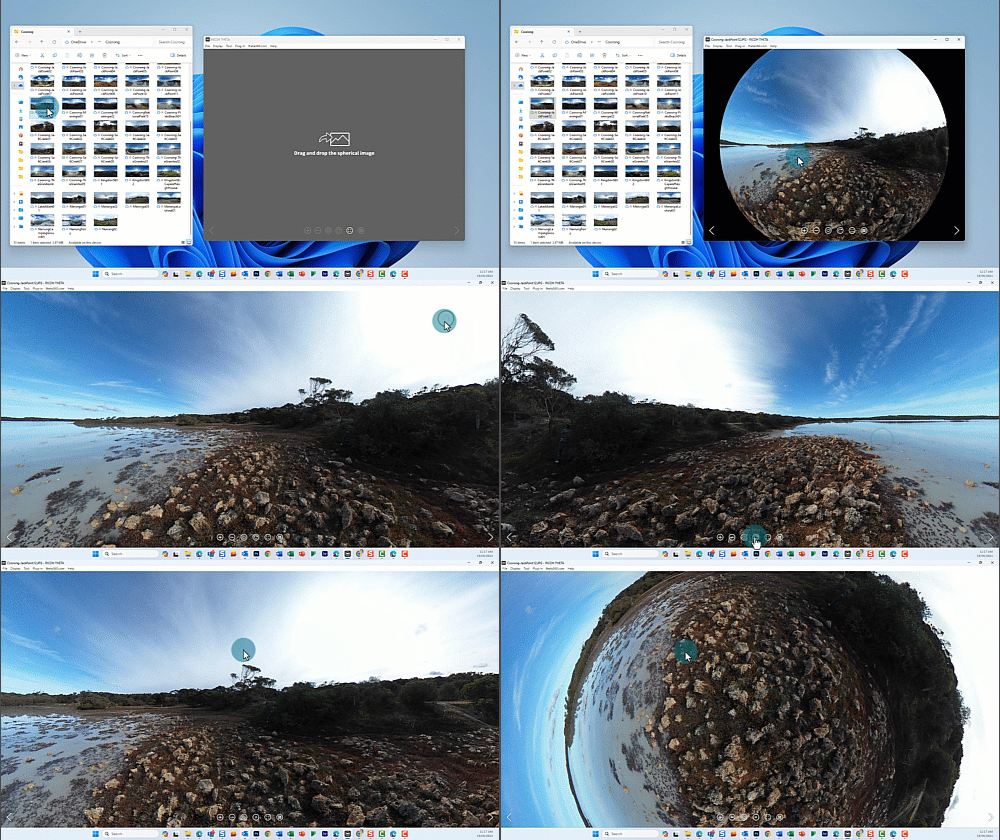
Google Photos
To use Google Photos:
- Log in to Google Photos with your @schools email.
- Click or tap on the 360° rotation icon to view the photo in 360.
- Upload your 360° photo to Google Photos.
- Click or tap on the photo.
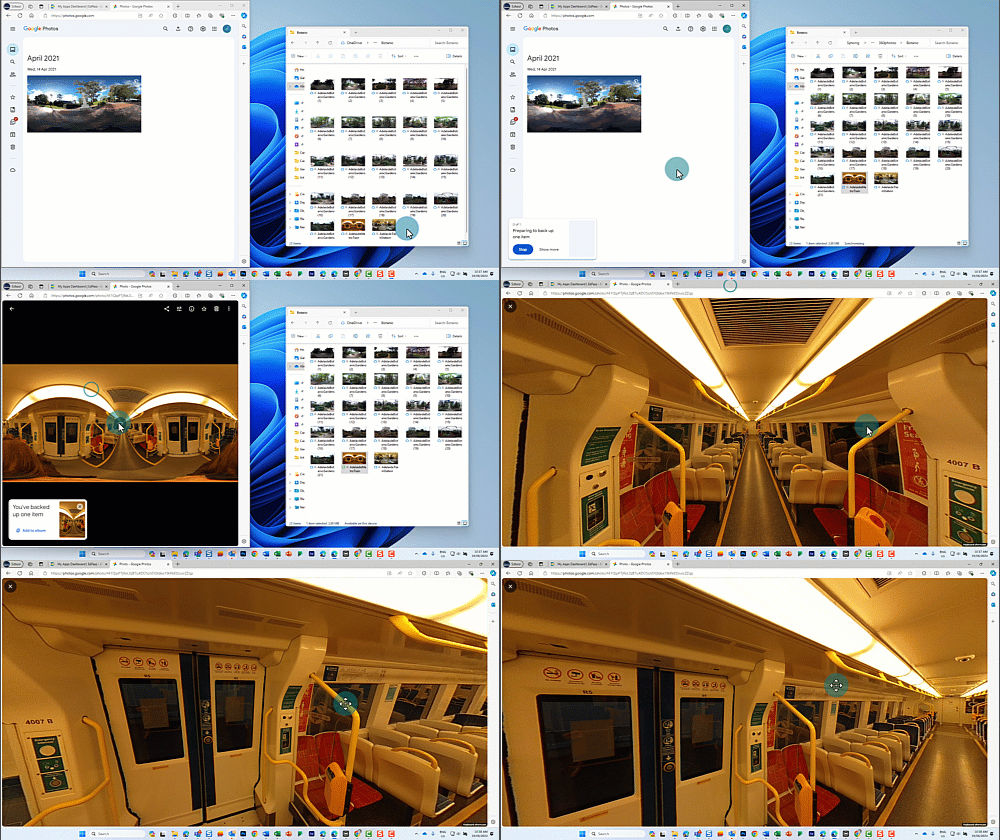
Examples of how students can benefit from 360-degree photos
Showing 360-degree photos in class can help students remember experiences better, like recalling details from a trip. This can help students with writing recounts and deepen meaning making.
It can also prepare anxious students for visiting new places by giving them a preview. If you can't visit a place beforehand, find out whether another teacher has taken 360-degree photos on a prior excursion.
Related content: