Make the most of Microsoft PowerPoint with these less known features
Microsoft PowerPoint, a staple in many classrooms, offers a wealth of features beyond its traditional slide presentation function. Explore the hidden features designed to support student learning and engagement.
Interactive whiteboard: annotating with the draw tab
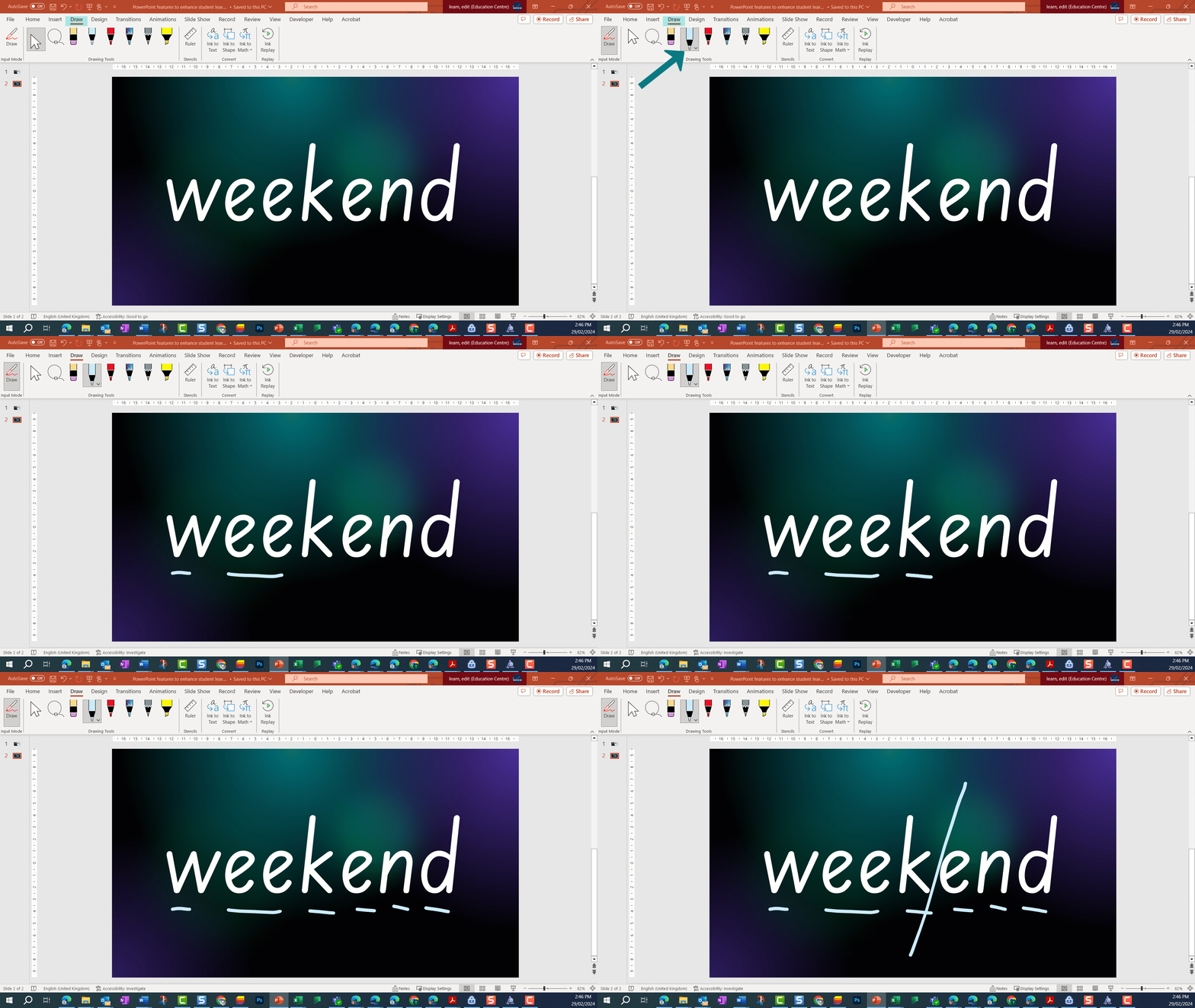
The draw tab in PowerPoint allows you to annotate slides even outside of presentation mode. This feature can be used to highlight text displayed on your board, helping students make visual connections. By inserting excerpts of text, maths problems or any focus content PowerPoint becomes an interactive whiteboard tool.
Recording your screen
Screen recording is another powerful feature available to both students and teachers. You can record a section or the entirety of your screen, including mouse movements and audio.
This tool is particularly useful for creating quick tutorials or for students to record and narrate their learning.

Practicing presentations with inbuilt learning accelerators
The ‘rehearse with coach’ feature is an inbuilt learning accelerator that allows students to practice delivering presentations. Students can run through their slides and presentation information and get feedback for improvement from the coach.
Feedback includes advice on:
- pace
- repetition
- use of fillers
- pitch
- reliance on reading directly from the slides.
Students can use this feature to rehearse and refine their communication skills before presenting to an audience.

Creating digital art
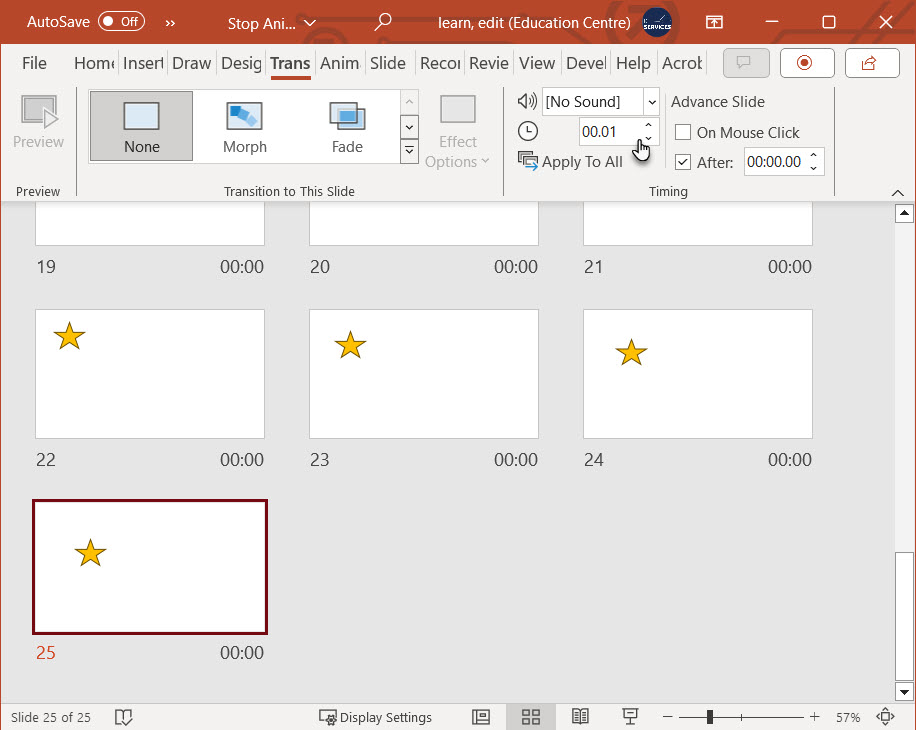
PowerPoint presentations can be converted into video files, opening up creative possibilities for students. They can use PowerPoint to create animations and stop motion videos, employing the inbuilt animations to move objects and graphics around slides. By setting slide timings, students can cycle through their presentation to create stop motion.
The drawing tool also allows students to trace over images. They can then export their slides as images and use them in other applications.
PowerPoint is more than just a presentation tool; it's a versatile platform that can enhance teaching and learning experiences in innovative ways.