
Creating your own paper Merge Cubes to use with your class
Making your own paper Merge Cubes is a cost-effective way to try the experience without the upfront cost or to add more cubes to use in class. Plus, there are creative ways to use these printed cubes to enhance the Merge EDU experience.
To find out which apps to use your Merge Cubes with, or if you want to invest in a set of foam cubes from Merge EDU, visit the Merge Cubes page .
Download the PDF template
You can find a PDF template and instructions for making a paper Merge Cube on the Merge EDU Help Center.
To make your paper cubes last longer and be more user-friendly, here are some tips.
Enlarging the printed cubes
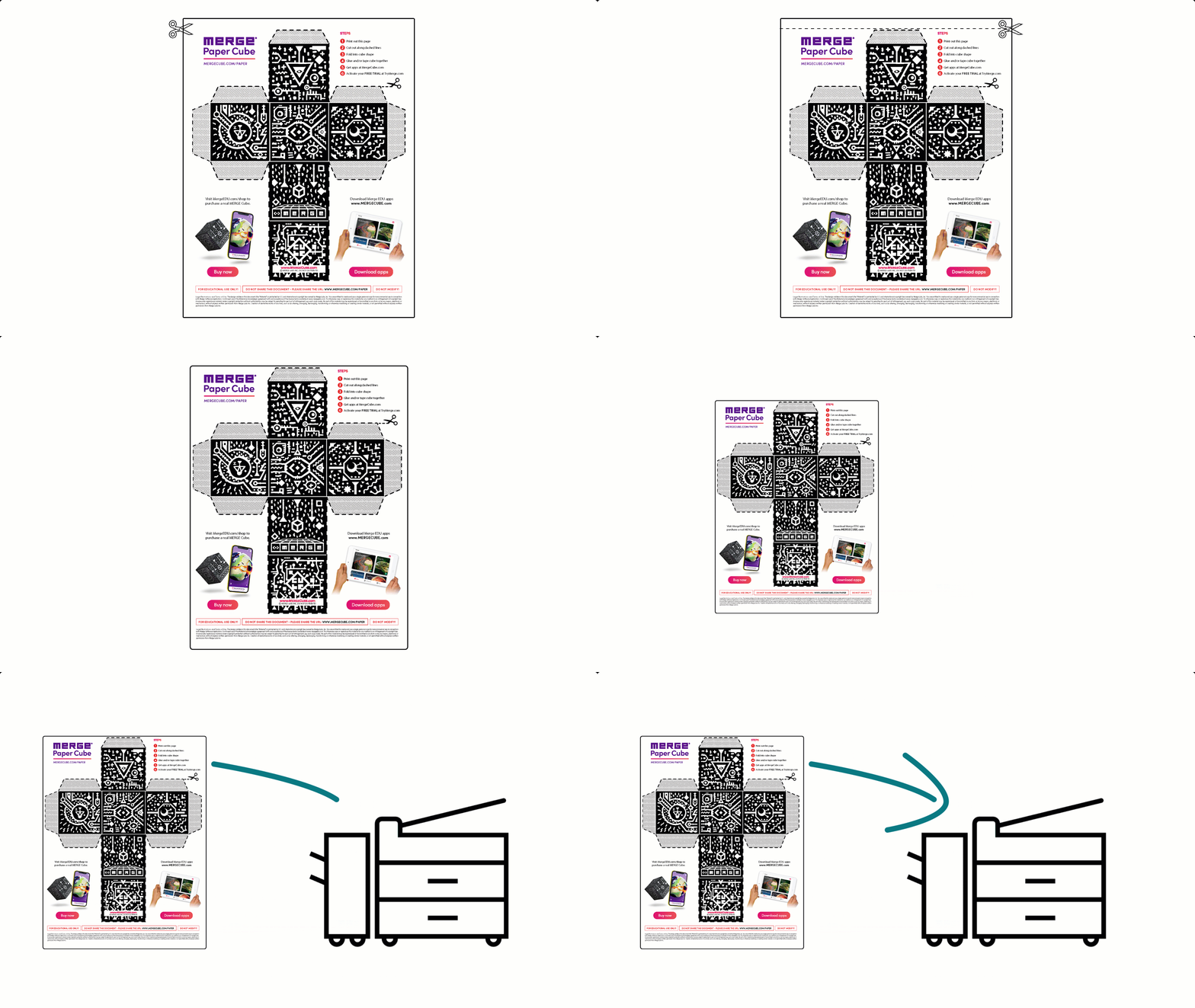
The Merge EDU PDF has large margins and prints a smaller cube with about 6cm long sides. You can make the cube bigger by trimming margins and enlarging the print size.
Here are some settings that work with a photocopier to enlarge the original A4 to:
- a larger A4 – trim top and left margins and enlarge by 115%
- A3 – trim top and left margins and enlarge by 160%
- A3 per cube face (6 sheets in total) – trim around each face and enlarge by 400%.
Making durable cubes
If you can't print on card stock, here's a workaround using a laminator:
- Print the cube template on regular paper. You need at least 2 copies.
- Place 2 printed sheets together, face-to-face, so you have a double-sided white page.
- Laminate them in a laminating pouch.
- After laminating, cut around the edges to separate the sheets, giving you 2 durable, plastic-backed copies.
Don’t laminate the printed side as this can create reflections. These can cause problems when reading the code with your device.
Easy cube assembly
If you find regular glue too fiddly, try using:
- hot glue
- double-sided sticky tape.
Avoid covering the printed QR code with sticky tape. This can cause problems when reading the code with your device.
Using the paper cubes with your students
If you've made a larger cube, you could hang it from the ceiling so students can walk around and interact with it. Students can also make and keep their own cubes.
Find tips for handling the cubes and ideas for Merge Cube activities on the Merge Cubes page.
Resources:
Related content